Last year, we proudly launched Smart Analyst, PolyAI’s specialized AI agent for conversational intelligence. It enables CX leaders to explore data from millions of automated interactions by simply asking questions in natural language, revealing insights and strategic opportunities in seconds instead of days.
Since launch, usage of the tool has revealed exciting use cases that have helped empower us to make Smart Analyst even better. Read on to learn more about the improvements we’ve made and the customers from across industries benefiting from real-time customer insights.
Improved searching and backend capabilities
Underpinning all of our improvements are significant upgrades to Smart Analyst’s backend and searching capabilities. These enhancements include semantic search and intelligent context management, with the goal of making it easier for users to find the information they need and the ability to have longer exchanges with deeper analysis while maintaining high accuracy.
At its heart, Smart Analyst helps your organization get more value from its AI investments by making data collection easier and reducing the time to take action. Instead of waiting for BI teams to build reports or static dashboards, users can ask questions and get actionable answers instantly. These functional improvements do exactly that.
Streamlined navigation
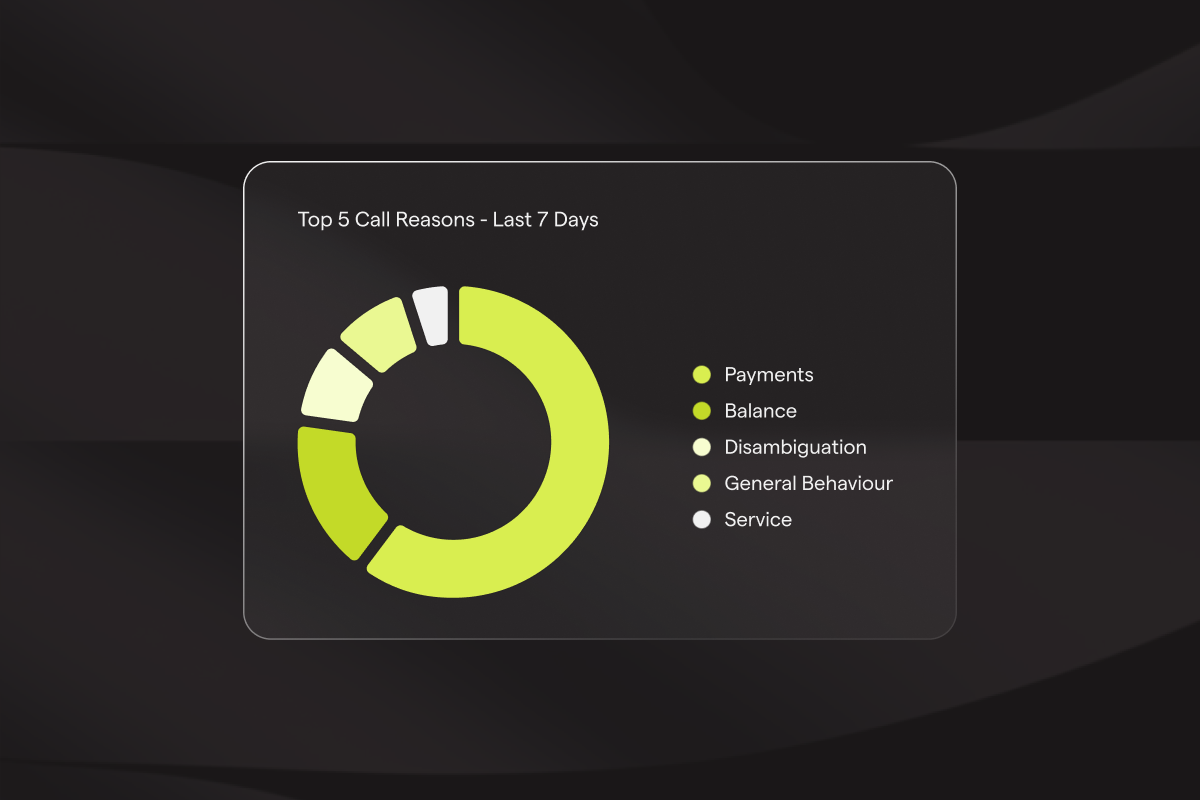
A crucial part of every contact center manager’s job is reviewing customer calls to ensure issues are being resolved and the best possible service is given. But doing this effectively is difficult due to the number of calls to manually review, recordings being time-consuming to sift through, and the fact that key insights can be missed or biased when you’re only reviewing a small slice of conversations.
Smart Analyst is the perfect assistant for this task, letting users ask for and pull up the exact call types they want to review, rather than trawling through lists, filters, and dashboards. We saw immediate adoption from Agent Studio users, and have since strengthened the experience by adding direct links to relevant calls for fast review and effortless navigation.
Reasoning logic, and chat history
When you run a prompt through your favourite AI app (whether that’s ChatGPT, Gemini, Claude, or another tool), you can usually see the reasoning and sources behind the result. That transparency makes it easier to trust the output and ensures you get the answers you actually need.
We’ve introduced a similar concept within Smart Analyst. Now, when you run a query, you can see the key factors it’s weighing as it works. This added clarity is essential in giving you confidence to use the complex data analysis to drive strategic decisions that positively impact your business (you’ll see examples of this later). We’ve also added chat history so you can return to a previous prompt and iterate further.

Recommended queries
When you’re told a tool can help you search for anything you want, it’s often hard to know where to begin, leaving you frozen by the burden of choice. A little structure or a clear starting point can make all the difference in turning curiosity into action.
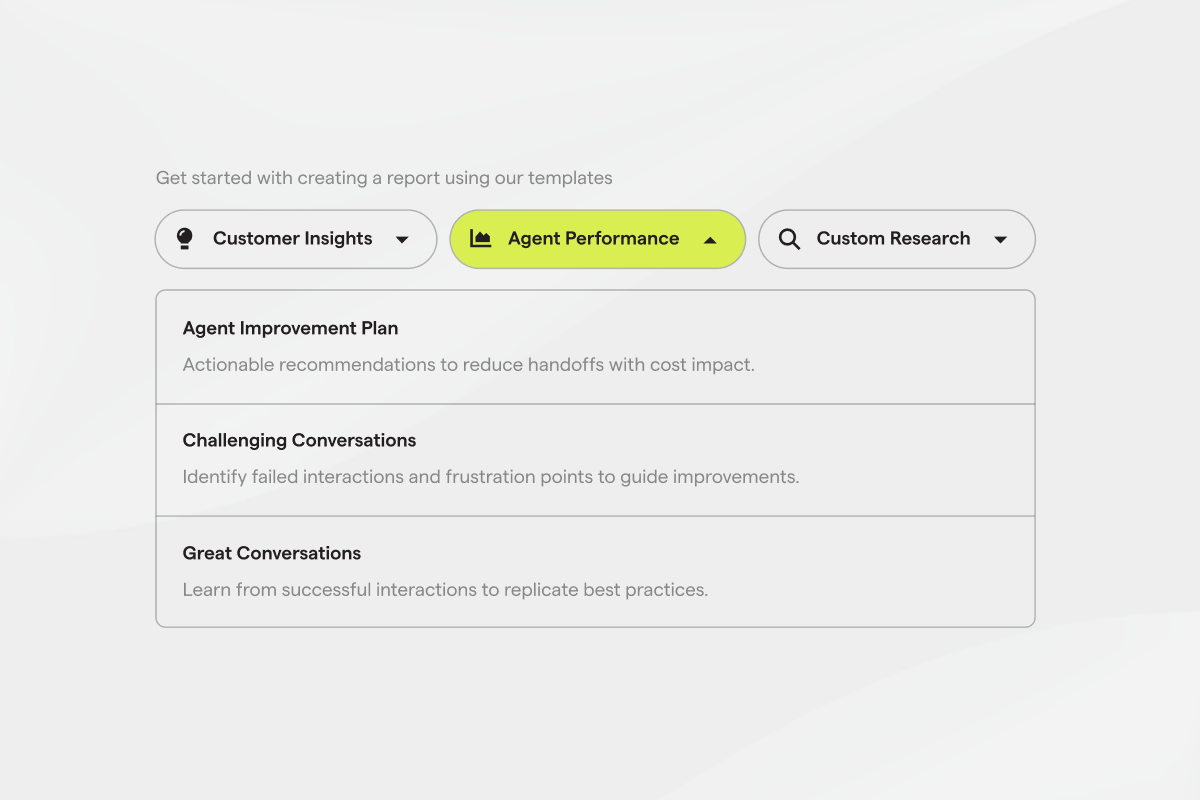
Smart Analyst now opens with a new Templates interface, offering ready-made, categorized prompts for instant insight generation. These templates are grounded in our experience of what CX leaders care about and are organized by category; Customer Insights, Agent Performance, and Custom Research. Each of these include optimized queries and auto-fills the field with a pre-configured analysis prompt.
Customer stories
In the short time that Smart Analyst has been available, we’ve already heard numerous great customer stories of how they’ve used the tool and the insights it’s helped them collect. As a product marketer, these are my favorite things to hear, and I’ve shared a few below.
How healthcare teams can spot hidden data issues across dozens of sites
Brightree used Smart Analyst to identify the top reasons why calls were being transferred to agents during a period of containment struggles. The analysis revealed that approximately 80% of patient identification and verification (ID&V) failures occurred because a newly added customer had poor data quality (patients weren’t present in the internal system being accessed via API). This issue was particularly difficult to diagnose manually, given that the organization has 30+ sites.
Smart Analyst enabled a quick identification of the containment issues that would have otherwise taken hours to manually piece together across multiple sites, allowing the team to quickly address data quality problems with the new customer integration.
How hospitality teams can improve housekeeping automation with conversation insights
Seminole Hard Rock deployed Smart Analyst to analyze conversations and understand how to drive higher success rates with housekeeping automation. Smart Analyst findings informed their decisions to add more intent codes and improve automation quantities. The success rate increased by 11% quarter-over-quarter due to Smart Analyst-driven optimizations.
How to implement human-centered AI agents in healthcare
This is your journey to effectively and efficiently deploy AI agents in your healthcare contact center.
Finding the story behind delivery delays
A leading logistics company used Smart Analyst extensively during its containment drive to categorize delivery exceptions and understand patterns in non-contained calls. Smart Analyst broke down delivery exceptions by type, revealing that address-related issues were the most common (43.5% of exceptions), with incorrect addresses accounting for 32.8%. Additionally, it identified patterns where follow-up comments after specific tracking statuses would result in transfers even when users didn't explicitly request a transfer. These insights helped the logistics team identify key actions and improvements, including:
- Call containment increased by more than 10%. Key findings were validated through targeted manual reviews and led to specific actions
- Implemented online resolutions for address-related delivery exceptions instead of immediate transfers
- Updated prompting and logic around transfers to better control LLM behavior and prevent unwanted transfers after tracking status updates.
Explore granular insights with Deep Sampling
Smart Analyst already makes it easy to ask questions about your conversation data. Its new Deep Sampling capability takes that further.
When a pattern isn't obvious from a surface-level query, Deep Sampling enables you to analyze hundreds of conversations at once, giving you a more complete picture of what's happening across your data, with answers grounded in the full breadth of your conversations.
In practice, this means a bank can ask why customers are calling about their mobile app and get a breakdown across hundreds of calls, discovering that 50% are hitting the same account data issue and another 20% are struggling to log in. From there, you can act on those recommendations directly in Agent Studio, updating your agent's configuration so they don't become repeat issues.
With Smart Analyst you can understand your customers at a deeper level and identify the areas to improve your business. Speak to our team today.